The context
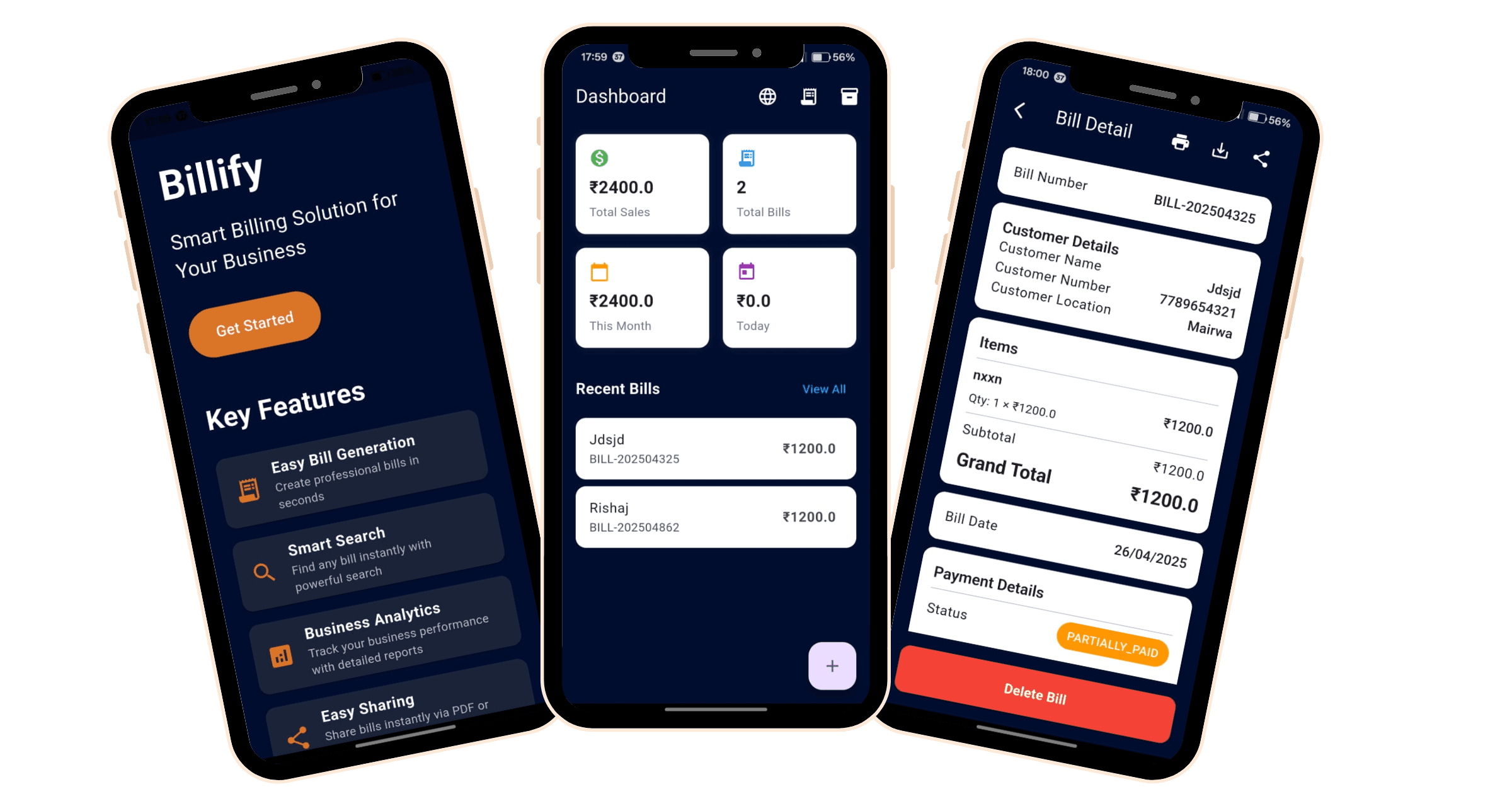
Small retailers, and optical shops in particular, run their counters on a mix of paper bills, manual stock counts, and ad-hoc spreadsheets. The billing apps available to them tend to assume always-on internet, don't understand eyewear (frames, lenses, coatings, and eye prescriptions), and rarely run on the Windows or Mac desktop already sitting on the shop counter. Billify was built to meet these shops exactly where they work: a single Flutter codebase that runs on mobile and desktop, works fully offline against a local SQLite database, and ships purpose-built billing templates for both general retail and optical stores.
The problem, precisely
Connectivity can't be a requirement. Shops need to bill, manage stock, print, and export whether or not the internet is up. Anything that depends on a live backend or a login fails at the counter.
Generic billing apps don't fit specialised trades. Optical shops bill on frames, lenses, and coatings and need to record per-eye prescription data (SPH, CYL, AXIS, power, visual). A general retail invoice can't capture or print any of that.
Inventory and billing drift apart. When stock counts live separately from sales, shops oversell items they don't have and lose track of what's left. The two need to stay consistent in a single flow.
It has to run where the shop already works. Many counters run on a Windows or Mac desktop, not just a phone. A tool that only ships to one platform leaves part of the audience behind.
What we built ✓ verified in code
Cross-platform app from a single codebase
A Flutter application built on the GetX framework, configured to target all six Flutter platforms: Android, iOS, web, macOS, Windows, and Linux. PDF save and print logic branches per platform, using a native save dialog on desktop and the OS share sheet on mobile.
Offline-first, zero-backend architecture
All data lives on-device in a local SQLite database via sqflite, plus key-value settings in shared_preferences. There is no remote API, no login, and no account system; onboarding simply captures the business profile locally.
Linked inventory and billing
A dedicated inventory module manages products with SKU, cost and selling price, current stock, low-stock thresholds, units, and categories, with search and category filtering. Saving a bill decrements each product's stock transactionally and blocks the sale if stock would go negative.
Specialised optical-shop billing mode
Beyond the default retail template, an optical template captures frame, lens, and coating line items alongside per-eye prescription data (SPH, CYL, AXIS, power, visual), and renders bordered prescription tables on the printed invoice.
Brandable PDF invoices, reporting, and bilingual UX
Bills generate as branded PDFs with a business header (name, address, phone, email, GST number) that print, save, or share natively, with Unicode-safe font embedding for rupee and Hindi rendering. A sales dashboard rolls up today, this-month, and total sales, and bills export to Excel with date-range filtering. The UI runs in English or Hindi with a persisted language preference.
How it works
- 1
Set up the business in seconds. On first launch, a short splash routes new users to onboarding, where they enter business name, owner, and phone, and pick a billing template (default retail or optical). The profile is stored locally and the app drops them on the home dashboard.
- 2
Build up inventory. From the inventory module, the shop adds products with name, SKU, category, cost and selling price, current stock, low-stock threshold, and unit, all persisted to SQLite. Categories are created through a bottom sheet, and the product list supports search by name or SKU and filtering by category.
- 3
Create a bill that keeps stock honest. From the dashboard, the operator opens the bill form, enters customer details, and adds line items manually or by pulling selected products from inventory. Quantities and percentage discounts compute line and grand totals; on save, the bill and items persist and each product's stock decrements, rejecting any sale that would push stock negative.
- 4
Handle optical bills with prescriptions. Using the optical template, the same flow captures frame, lens, and coating items plus the per-eye prescription (SPH, CYL, AXIS, power, visual). The generated invoice includes the prescription tables alongside the itemised totals.
- 5
Deliver and report. From a bill's detail view, the shop prints, saves as PDF, or shares the invoice via the OS share sheet. The bills view supports search by customer or bill number and date-range filtering, and exports a dated Excel report for periodic book-keeping.
The outcome
Billify is a vertical-aware, offline, cross-platform billing and inventory tool that meets small retailers exactly where they work. From one Flutter codebase it runs across mobile, web, and all three desktop operating systems; it keeps inventory and sales consistent by decrementing stock and preventing overselling on every bill; it understands the optical trade well enough to capture and print real eye-prescription data; and it produces brandable PDF invoices and one-tap Excel reports, all fully offline and in either English or Hindi.